






Scan for missing updates
Identify available Windows and third-party application updates across managed devices.

A Windows update just isn't enough. Most successful cyberattacks exploit vulnerabilities in third-party applications that operating system updates alone don’t cover.
With LogMeIn Resolve, small businesses can manage Windows and third-party application patching from one platform. Reduce security gaps and avoid the complexity of disconnected tools, even with a lean IT team.
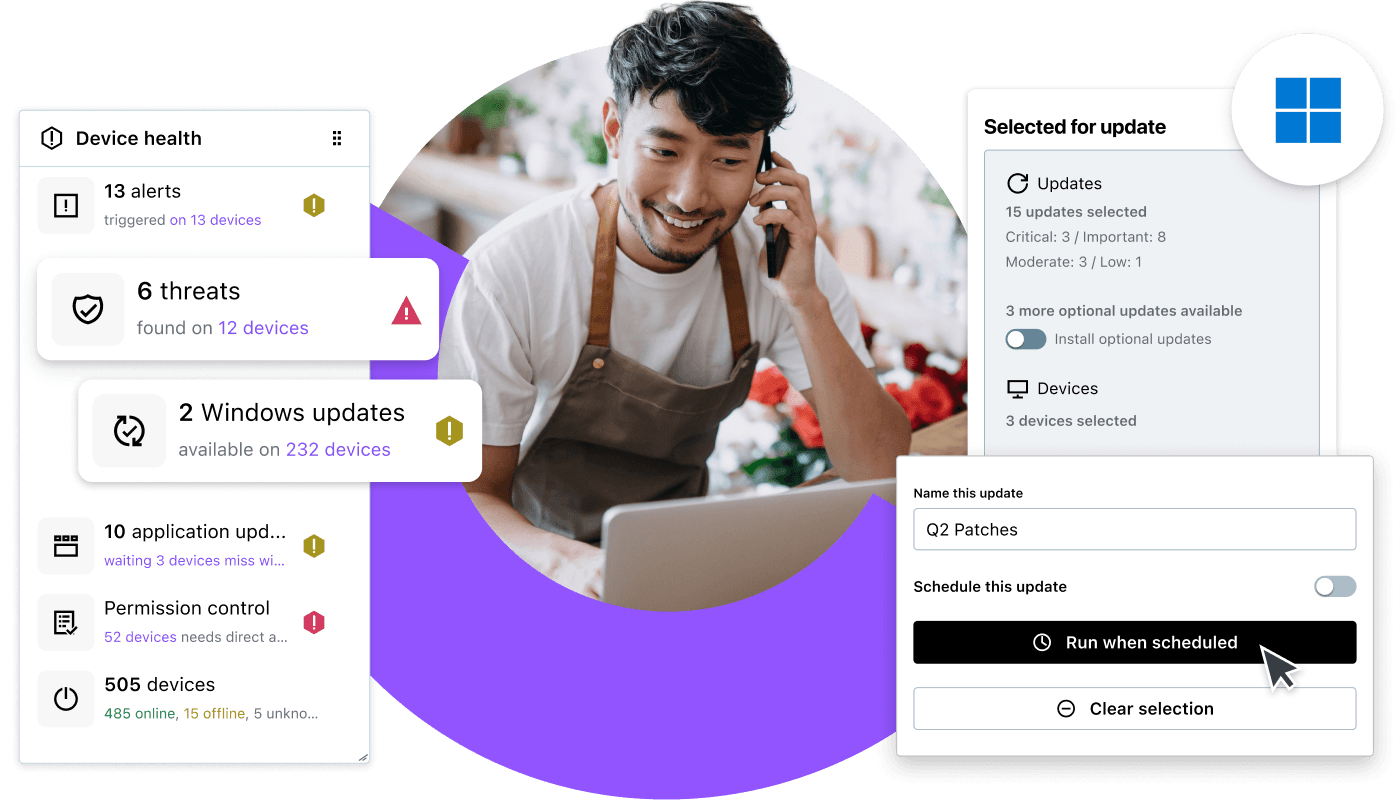


Keep patching on track with LogMeIn Resolve’s centralized visibility and automation.
Monitor patch status
View patch status across managed devices from a single dashboard. Identify vulnerable devices, review CVE and CVSS information, and prioritize critical updates.
Create flexible patch policies
Create patch policies for individual devices or dynamic groups. Devices automatically inherit the right policies as they move between groups.
Manage third-party application updates
Detect and deploy application updates through Winget integration from the same console.
Resolve patch issues faster
Use AI insights before deployment and get plain-language error summaries with recommended remediation steps when updates fail.
Control updates and reboots
Control when devices restart after updates and review patch history and audit logs to ensure compliance.
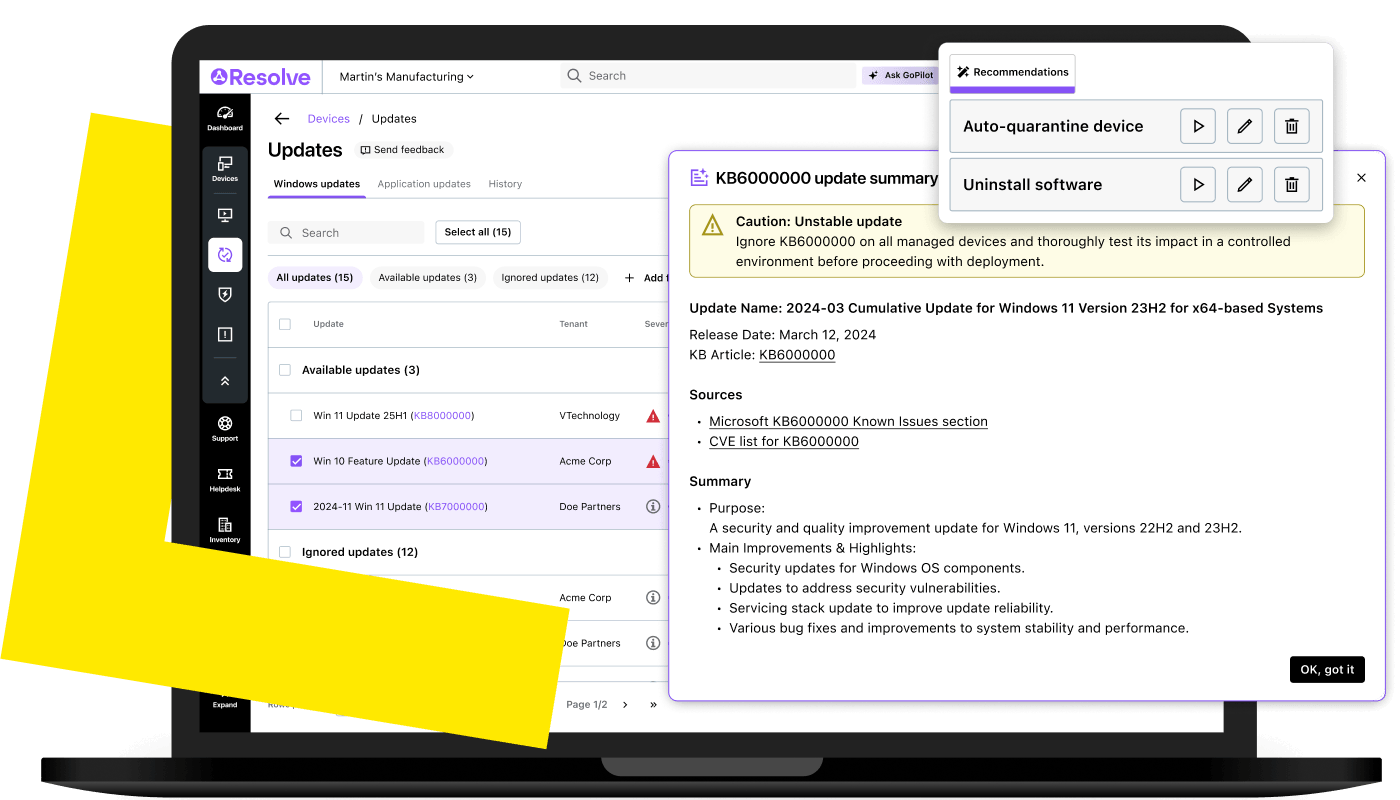
LogMeIn Resolve uses a built-in Winget integration to detect and deploy updates for browsers, PDF readers, collaboration tools, and other business applications from the same IT console.
Detect application updates
Scan enrolled devices to identify third-party applications with available updates from the Winget repository. Get a consolidated view of outdated applications across your managed devices.
Deploy application updates remotely
Deploy third-party application updates to one or more devices without administrator access or manual intervention at every endpoint.
Patch applications by device group
Deploy third-party application updates across selected device groups in a single action, just as with Windows patches.
Automate application update policies
Create application update policies for selected devices or device groups to automate third-party application updates.
Review application update history
Review which application updates were deployed, when, and whether they succeeded. Maintain an audit trail for security compliance and cyber insurance documentation.
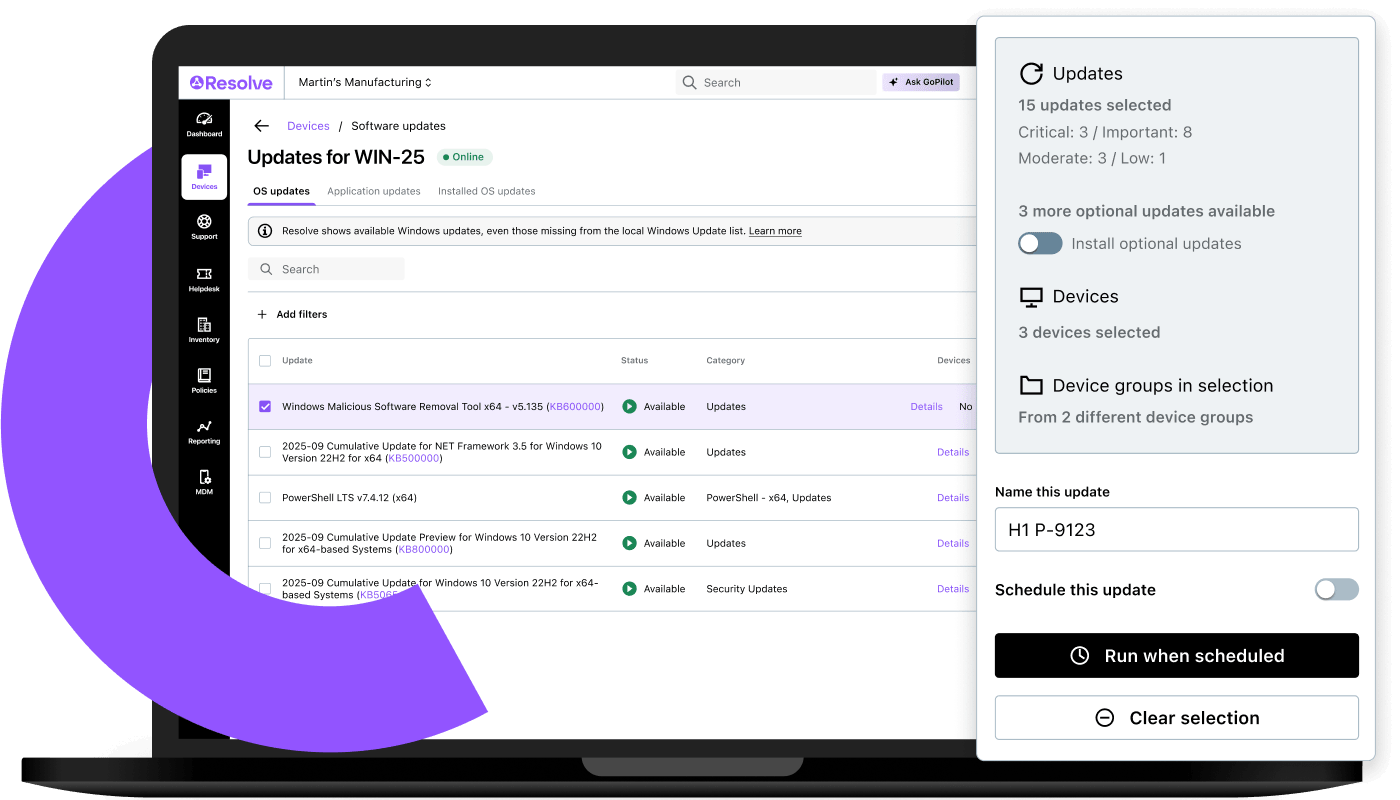
With LogMeIn Resolve, you can maintain a secure, up-to-date environment without putting more pressure on your IT team.
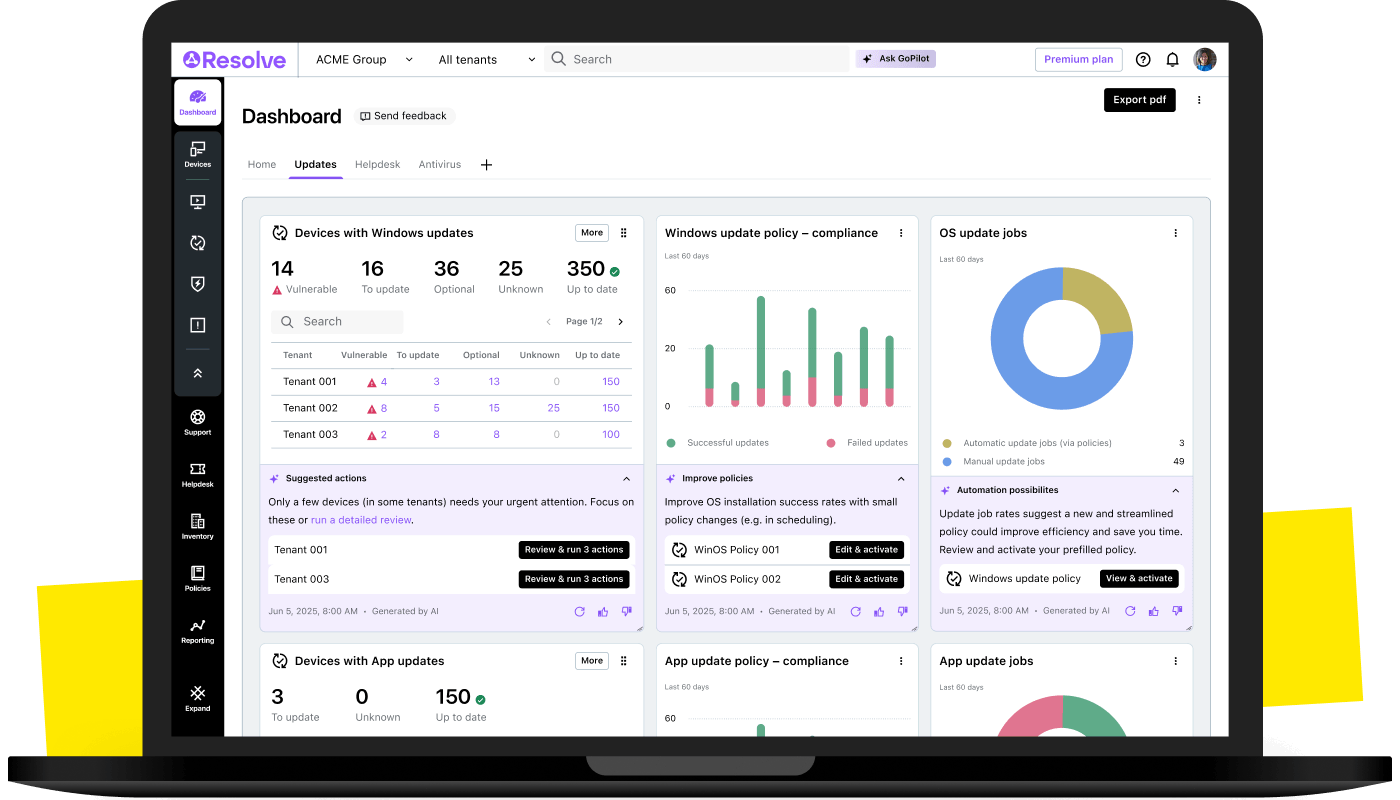
What is patch management?
Why do small businesses need patch management software?
What should you look for in the best patch management software for small businesses?
How does patch management software work?
How often should small businesses patch their devices?
What is Winget, and how does it help with patching?
