
What is RMM?

A complete guide to remote monitoring & management.
No credit card required.
Today, remote and hybrid work models are the new normal. Consider these numbers: 74% of U.S. companies are using or plan to implement a permanent hybrid work model, with 63% of high-growth companies using a “productivity anywhere” hybrid work model. As modern businesses rely on technology more than ever, remote monitoring and management (RMM) software is crucial in supporting employee productivity and employee experience no matter where their employees work on any given day.
Coworkers in an office, working securely on a tablet with the help of GoTo Resolve's mobile device management software.

What is Remote Monitoring & Management (RMM)?

RMM is a type of software that enables IT professionals to remotely monitor and manage a company’s IT infrastructure. This includes visibility to all endpoints (any device that is connected in a network, such as end user computers, mobile devices and company servers). This allows IT teams to monitor the health and status of their devices and take proactive action to keep them all secure and up and running.

Bottom line—RMM software allows businesses to track and monitor the performance of their IT assets, as well as detect and address issues on client endpoints, networks, and computers.

Who uses remote monitoring and management software?

RMM for SMBs
Today, small and midsize business (SMB) IT teams are juggling increased expectations for supporting flexible work with similar headcounts, often unruly tech sprawl, and unrelenting security challenges. RMM tools allow them to stay on top of their IT infrastructure to support employee productivity and business security, anywhere and at all times.
RMM for MSPs
As work becomes more complex to support, more companies are turning to managed service providers (MSPs) to manage their IT infrastructures. RMM software provides automation and monitoring that enables MSPs to virtually be in more than one place at a time, satisfy their customers, and keep techs from being overworked.
Device Management

What can you do with RMM? Main RMM functions:

The right RMM capabilities let you stay on top of all your IT needs. Here’s what to look for.

View of GoTo Resolve’s device management tab using file manager feature to transfer files between computers.
Device Insights
View of GoTo Resolve’s IT alerting feature for new alerting policies including CPU usage, disk space, memory usage, and software inventory change alerts.
Device Action
GoTo Resolve’s device actions feature with remote execution, remote terminal, and patch management capabilities.
Device Security
GoTo Resolve’s RMM antivirus protection feature in the user interface with options to run a full scan, update virus definition, see last scan report and set up alerts.

RMM Benefits

IT agent setting up the security and compliance features of mobile device management software on a laptop while talking to an end-user.
Boost Productivity

RMM software keeps everyone working at their best—without disruption. Agents can work in the background to keep devices up and running

IT admin saving time and money by centrally managing the mobile devices of his company's employees using GoTo Resolve's mobile device management software.
Maximize Security

RMM allows you to stay ahead of cybersecurity threats and data breaches. And when it’s built with zero trust security, you can lock out malicious actors.

Remote employee securely using a mobile device to conduct business while working from home with their dog.
Reduce Effort

Make manual tasks a thing of the past. RMM automates tasks that are often time-consuming and mundane for agents.

How to secure RMM access with zero trust

To ensure that remote access actions enabled by RMM are safe and secure, a zero-trust security architecture that takes a “trust nothing, verify everything” approach. With zero trust, any sensitive actions or information invokes an additional verification point, with the intention of countering malicious/unwanted actors.
Advanced Access
Agents sign actions with a signature only they know. Advanced access control means no one can modify or create a task on the agent's behalf. (But make sure you don't forget it, because signature keys aren't stored anywhere, for added security.)
Verification
Endpoints never trust blindly. They always verify the signature before granting access, locking out hackers.

What is the best RMM software?

One.
Consolidated RMM platform
Not all RMM software solutions are created equal. The smartest solution is one that brings everything together—an all-in-one IT support software that puts all RMM functions at the agent’s fingertips, including remote access, antivirus and patch management, IT automation, and more. The result—you have a complete view with control over the entire IT infrastructure through one “pane of glass.”
Two.
Free RMM
In a recent survey by GoTo and Qualtrics, IT professionals identified not getting adequate budget for IT as one of their top four challenges. But nothing should stand between your organization and a healthy, up-to-date IT infrastructure.

LogMeIn Resolve is the only free RMM solution on the market today, allowing IT professionals to stay ahead of fire drills and maximize their resources. Now all IT teams can experience the value of moving away from chaotic, reactive support with unrestricted device monitoring, intuitive background access features like a system diagnostics dashboard, Quick View, and unlimited remote access and automation for priority devices– all secured with a first-of-its-kind zero trust architecture.

Three.
Integrations with PSA systems
MSPs specifically can benefit from seamless integrations between their RMM and Professional Services Automation (PSA) systems—whether it’s invoicing/billing, creating “issue tickets,” time recording or resource management, or client and contract information—to manage services smoothly and efficiently.
Four.
Secure RMM
It’s no secret that remote access and execution are targets for malicious actors looking to take advantage of supply chain vulnerabilities. That’s why zero trust remote access controls are so important. Other safeguards include permission-based support, government-approved 256-bit Advanced Encryption Standard (AES) and Secure Sockets Layer (SSL), multi-factor authentication, Single Sign-on (SSO), and Active Directory (AD).
Five.
Automated
Only 37% of SMB IT leaders report having the ability to identify and self-heal problems with little agent interaction required. Through RMM automation, manual, repetitive IT processes and workflows, such as patch management and software updates can be eliminated. As a result, workload and human error are reduced—and resources can be put to better use on more strategic projects that build your core business.

Best companion software for RMM

Remote support
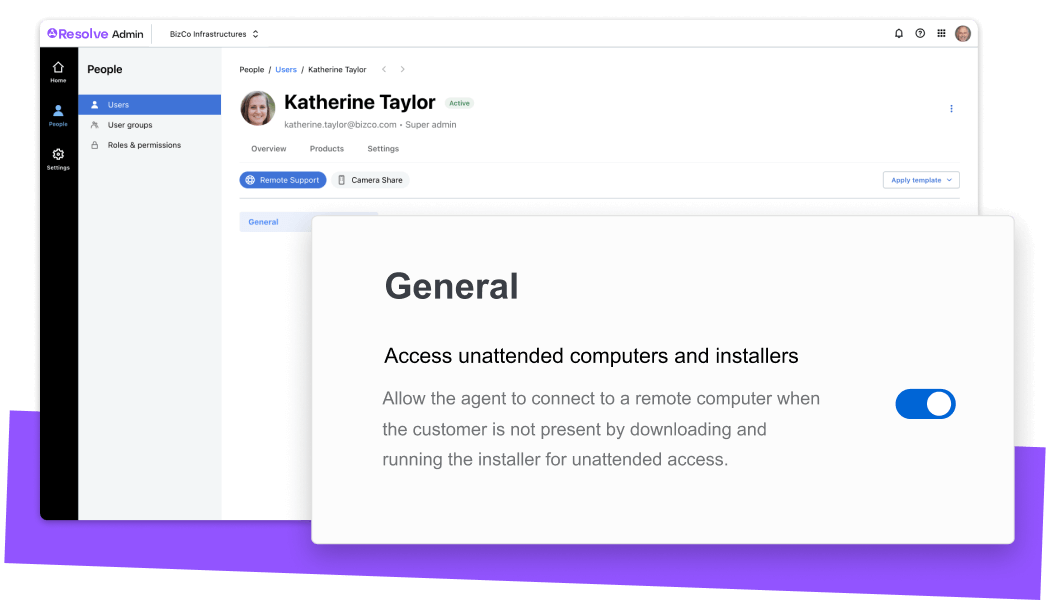
Even with robust proactive RMM support practices in place, issues pop up that need immediate, hands-on support. Unlike remote access tools, remote support tools let you get into computers without needing to have a client installed, which can be helpful if there’s an issue with the client, if it’s a personal computer, or really for any other reason. Agents can provide end users with on-demand, break-fix remote support for PCs, Macs, iOS, Android, and Chromebooks.
Camera sharing
Remote support use cases extend beyond network-connected devices. Be sure you can support non-connected, physical equipment in remote workstations like printers, monitors, headsets, and Wi-Fi routers. Camera sharing lets you see what the end user sees through their mobile camera and allows you to add on-screen annotations to reduce confusion, friction, and call times.
Helpdesk ticketing
You can easily keep track of all the requests coming in with helpdesk ticketing. By connecting RMM tasks to tickets, you can view the history of issues for specific devices for greater insight. This can also be connected to remote support, allowing your IT team to stay on top of everything you need to take action on.

What about managing mobile devices?

MDM (aka Mobile Device Management) is like RMM for mobile devices with functionality to support mobile devices. MDM makes it easy to bring mobile devices into your IT infrastructure and oversight, especially Mac endpoints. MDM features might include device tracking, passcode policies, and the ability to lock and wipe data on mobile devices.

The future of RMM

The value of RMM is only beginning to be realized as businesses depend more and more on a digital-first, location-agnostic infrastructure. The increased complexity, and dependency on, tech in organizations today stems from increased technology requirements across multiple departments, fragmentation between adopted technologies, and the myriad data collected to further business goals.
RMM Facts
SMB spending on managed IT services through 2026 will grow at a 14% CAGR compared to a 6% CAGR for total IT spending.
RMM Planning
48% of business executives surveyed by the Wall Street Journal plan to increase spending on cloud-based services in the coming year.
RMM Growth
Roughly 100% growth in MSPs using fully integrated professional service automation (PSA) and remote monitoring and management (RMM) software is anticipated in the next 3 years.

The fact is, RMM isn’t going anywhere but up—with demand continuing to grow. Over $90B in new spending will be created in managed services through 2026. LogMeIn Resolve will continue to be at the forefront of this evolution, serving SMBs and MSPs with exceptional solutions that help them manage their IT structure—effectively and cost-efficiently.


*SMB IT Quiz Survey, January 2023.